The Rise of the Privacy-First Resume Builder in Browser: Keep Your Data Local
 Angelina Koss5 min read
Job hunting is stressful enough without worrying about where your personal information ends up. Every time you paste your career history, phone number, and home address into a traditional online resume builder, that sensitive data is uploaded, processed, and stored on third-party cloud servers. For privacy-conscious professionals, this model raises legitimate security and data-ownership concerns.
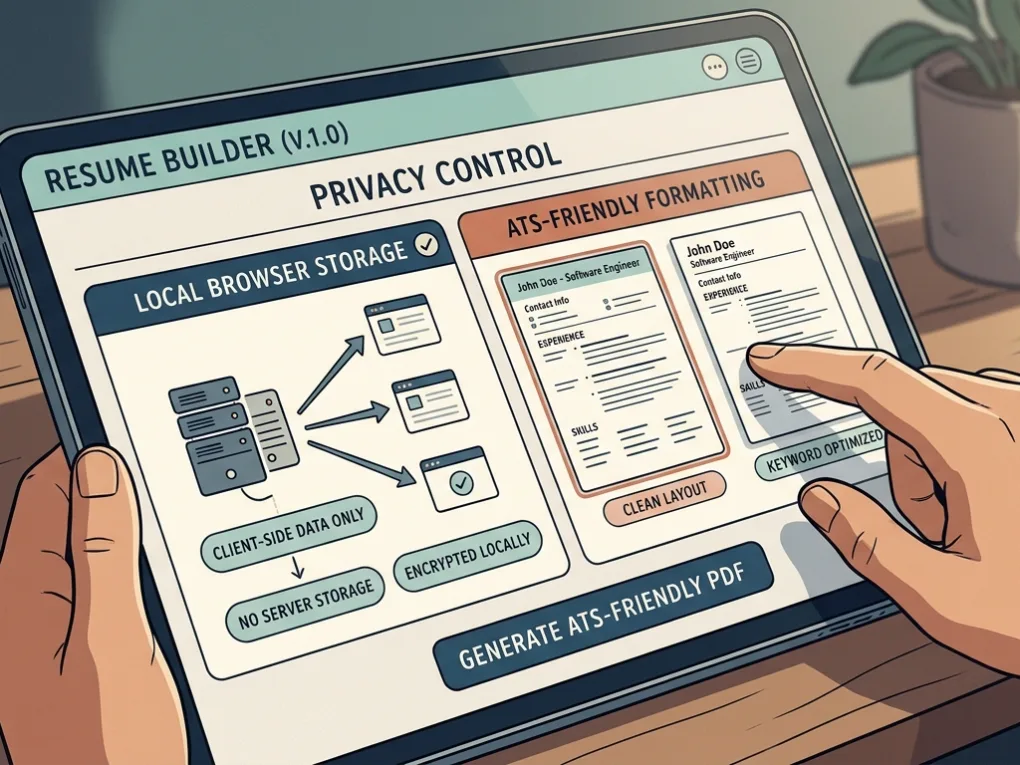
Fortunately, a growing shift toward client-side web applications has popularized the privacy first resume builder in browser. These modern utility tools keep 100% of your data inside your local browser storage (localStorage) or device. This comprehensive guide explores how browser-based resume tools protect your privacy, compares top options available today, and explains how to craft an interview-winning resume without sacrificing data security.
What Is a Privacy-First, Browser-Based Resume Builder?
A privacy-first resume builder is a web application that operates entirely on the client side. Instead of requiring you to create an account, verify an email address, or transmit your employment history to a corporate database, these applications run directly inside your web browser.
Using browser technologies like HTML5, JavaScript, and local storage, your text inputs, formatting choices, and template layouts stay locked on your device. When you close the tab or clear your cache, your data remains under your absolute control. If you want to save your progress for future edits, these tools typically allow you to export your data as a local JSON file or download a clean PDF instantly.
Core Benefits of Using a Client-Side Resume Tool
Adopting a decentralized, browser-first approach to career document creation delivers several distinct advantages over legacy SaaS platforms:
No Sign-Ups or Accounts Required
Traditional resume builders force you into marketing funnels by demanding your email address, a secure password, and marketing permissions just to test a template. Privacy-first alternatives require zero sign-up friction. You open the web page and start typing immediately.
Zero Server Storage & Complete Data Privacy
Because your work history, educational milestones, and contact numbers never get transmitted to an external company database, there is zero risk of data breaches, unauthorized data harvesting, or third-party profiling. Your personal information never leaves your device.
Seamless Data Portability
Data ownership is paramount. Client-side tools empower you to export your complete resume profile as a standard PDF for applications or download a raw JSON file. You can re-upload that JSON file anytime you need to update your experience, ensuring complete portability across devices.
Guaranteed ATS Compatibility
Privacy does not mean compromising on professional standards. Leading browser-based builders use clean typography, semantic HTML structures, and standard layouts that parse reliably through modern Applicant Tracking Systems (ATS) used by corporate recruiters.
Top Privacy-First Browser Resume Builders Compared
Several exceptional open-source and registration-free tools lead the browser-based resume movement. The comparison table below highlights their standout features:
| Tool Name | Core Architecture | Key Features & Specializations |
| VertoCV | Open-source, client-side | Free, no-signup, 100% local storage, ATS-friendly templates, instant PDF export. |
| OpenResume | Open-source parser & builder | Zero account requirements, clean single-column design, built-in resume parser. |
| ResumeBuildz | Cookieless, browser-first | Runs entirely on your device with zero cookies or server-side logging. |
| Wozber | Registration-free | Browser-based resume and cover letter builder without server-side personal data storage. |
| NoBsResume | Local storage web tool | Supports 63 languages (including right-to-left scripts like Arabic and Hebrew) with free PDF downloads. |
| FreeCV | Zero-signup utility | Saves data directly to browser localStorage for rapid, private PDF generation. |
How to Optimize Your Resume for ATS While Protecting Your Privacy
Building your resume securely in your browser is only the first step. To ensure your application beats automated screening software, combine your local workflow with robust optimization practices:
- Prioritize Clean Layouts: Avoid multi-column designs with complex tables or embedded graphics that confuse automated parsers. Stick to standard single-column hierarchies.
- Utilize Specialized Tools: Before submitting your application, test how well your document reads against automated keyword scanners by running it through an ATS Checker.
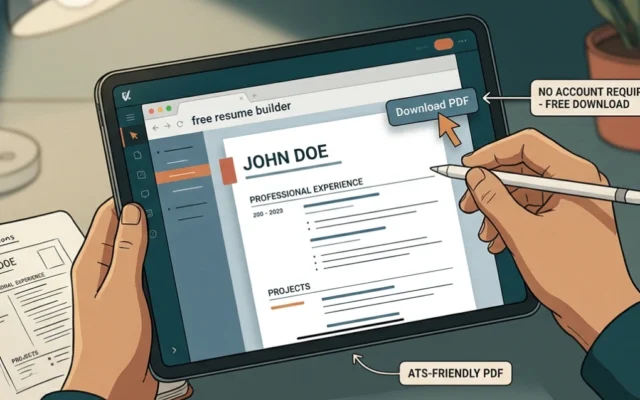
- Download Securely: Generate your final document using a free resume builder no account pdf download utility that renders client-side vector text rather than flat raster images.
- Iterate Locally: Update your master resume profile on your own terms using a reliable Resume Builder that respects your privacy from start to finish.
Frequently Asked Questions (FAQ)
Do browser-based resume builders save my data if I close the tab?
Most tools save your draft automatically using your browser’s localStorage. However, if you clear your browser cache or use an incognito window, your data will be wiped unless you previously exported a backup file (such as a JSON save file).
Are these privacy-first tools truly free?
Yes. Because these applications do not maintain heavy cloud server infrastructure, user databases, or email delivery systems, developers can offer them as free, open-source utilities without paywalls or subscription traps.
Can Applicant Tracking Systems (ATS) read resumes created with client-side tools?
Absolutely. ATS parsing depends on text formatting, clean typography, and standard heading tags—not on whether the file was generated on a cloud server or locally inside your browser.
The shift toward a privacy first resume builder in browser represents a victory for digital self-reliance and data security. By eliminating account walls, server storage risks, and intrusive data tracking, these browser-based tools let you craft professional, ATS-compliant resumes with complete peace of mind. Take control of your career data today by choosing a client-side tool that keeps your personal history strictly where it belongs: on your own device.
Ready to build your next career document without exposing your personal information? Explore client-side, zero-signup tools, export clean PDFs instantly, and test your layout today using a trusted Resume Builder.