How to Write a Resume: Step-by-Step Guide with Examples
 Angelina Koss13 min read
Landing an interview starts with a single document: your resume. Hiring managers spend an average of six to seven seconds reviewing an application before deciding whether to pass or pursue an applicant. At the same time, Applicant Tracking Systems (ATS) automatically parse your file, filtering out candidates whose documents are misformatted or lack relevant keywords.
Learning how to write a resume does not require fancy design software or buzzwords. What it requires is clean structure, strategic positioning, and measurable achievements.
Whether you need to know how to make a resume for your very first internship or want to learn how to build a resume that transitions you into a senior leadership role, this comprehensive resume writing guide covers every phase of the process.
What Searchers & Hiring Managers Look for in a Modern Resume
Before putting pen to paper, it is crucial to understand the dual audience evaluating your document: automated parsing software (ATS) and human recruiters.
Understanding the Hiring Pipeline
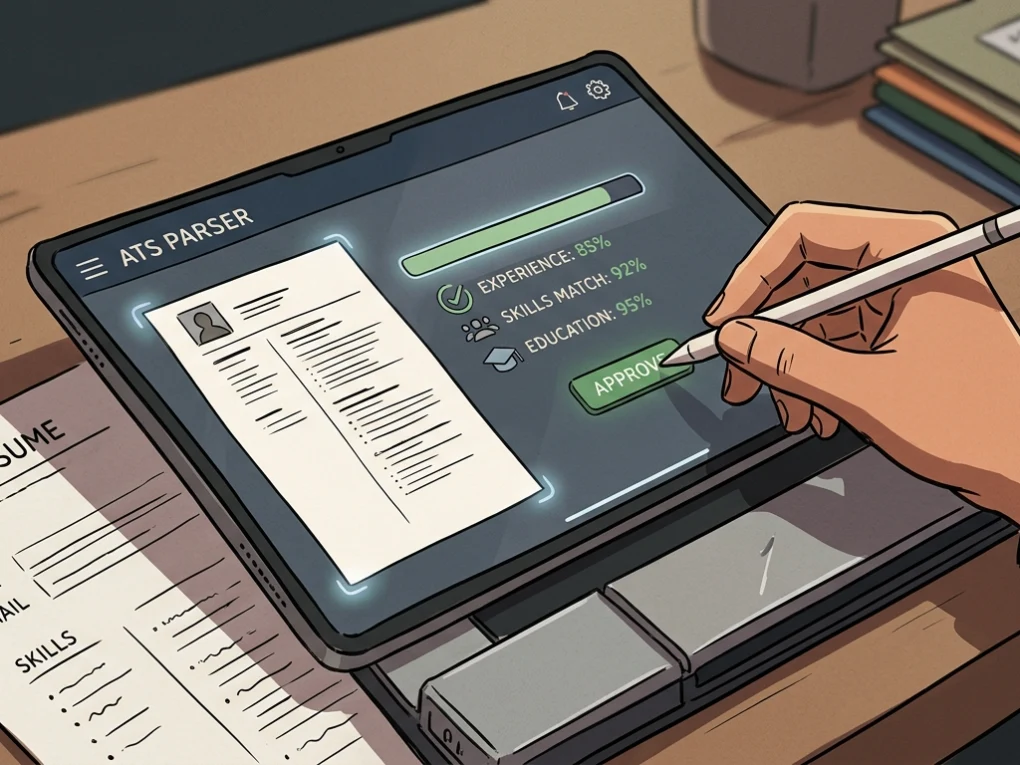
- The ATS Screen: When you apply online, an ATS parses your text into distinct database fields (job title, years of experience, core skills, education). Complex tables, graphics, headers, and footers break this parser, causing qualified applicants to get rejected automatically.
- The 6-Second Human Scan: Recruiters look at your most recent job title, company name, employment dates, core responsibilities, and standout accomplishments.
- The Deep-Dive Review: The hiring manager reviews your specific projects, technical depth, and quantifiable results to decide if you warrant an interview slot.
Resume vs. Curriculum Vitae (CV)
A common point of confusion is choosing between a resume and a CV. A resume is a concise, tailored summary of your professional experience, skills, and education, typically running one to two pages. A CV is a comprehensive, multi-page record of academic achievements, publications, teaching appointments, and research credentials. If you are applying for corporate, non-profit, or private-sector roles in North America, you need a resume; if applying for research, academic, or medical fellowships, consult our breakdown on resume vs CV to pick the right format.
Choosing the Best Resume Format
There are three primary resume formats: Reverse-Chronological, Functional (Skills-Based), and Hybrid (Combination).
Reverse-Chronological (Recommended)
This is the gold standard across virtually all industries. It presents your employment history starting with your current or most recent job, moving backward through previous roles. Both human recruiters and ATS algorithms expect this layout because it immediately shows career progression and recency of experience.
Functional
A functional resume organizes content around skill categories rather than an explicit timeline of jobs. While some career changers attempt this format to hide gaps, hiring managers often view functional resumes with skepticism, assuming the candidate is concealing negative history. ATS engines also struggle to map achievements back to specific companies or timelines.
Combination (Hybrid)
A hybrid format opens with a prominent skills summary section, followed by a standard reverse-chronological work history. This format works well for senior professionals with diverse competencies or candidates making an intentional industry pivot who want their transferable skills front and center.
7 Essential Steps: How to Write a Resume for a Job
Follow this step-by-step framework to assemble a high-impact, professional resume from scratch.
Step 1: Format Your Document Correctly
Poor formatting ruins great credentials. Set your page parameters before adding content:
- Page Margins: Set uniform 1-inch margins on all four sides. If you are tight on space, you may drop to 0.75 inches, but never go narrower.
- Typography: Select standard, highly legible fonts such as Arial, Calibri, Helvetica, or Verdana. Keep body copy between 10 pt and 12 pt, and make headings 14 pt to 16 pt bold.
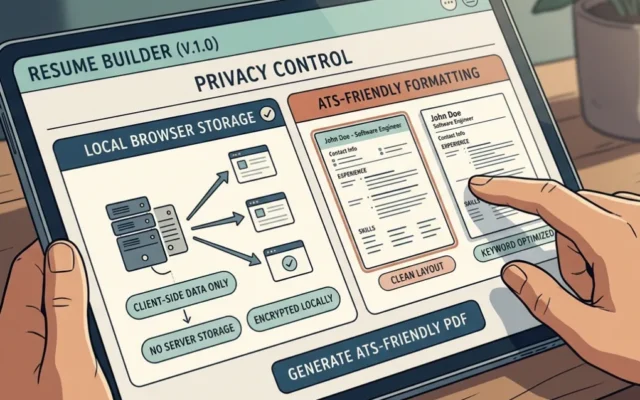
- Layout Structure: Use a clean, single-column design. Multi-column layouts look stylish to the eye, but frequently scramble text within ATS databases.
- Document Length: For students, recent graduates, and professionals with under 10 years of experience, keep your resume strictly to one page. Professionals with over a decade of relevant experience can use two pages. Read our detailed guide on how long should a resume be to determine your exact target length.
- File Type: Always export and submit your resume as a standard PDF, unless a job posting explicitly demands a
.docxfile. A PDF preserves your typography and layout across all devices and operating systems.
If formatting from scratch feels overwhelming, you can start with proven layouts by browsing tested resume templates or building directly inside our resume builder.
Step 2: Add Clean, Professional Contact Information
Place your contact details at the very top of the page. Keep this section clean and free of unnecessary personal data.
What to Include:
- Full Name: Prominent, bold, 16–18 pt font.
- Professional Job Title / Headline: Aligns directly with the role you want (e.g., Senior Product Marketing Manager).
- Phone Number: Cell number with clear area code.
- Professional Email Address: Use a simple format (
firstname.lastname@email.com). Avoid outdated domains or informal nicknames. - Location: City and State (e.g., Chicago, IL). Exact street addresses are obsolete and present unnecessary privacy concerns.
- Online Profiles: Include an optimized LinkedIn profile URL, GitHub link (for developers), or link to an online portfolio.
What to Omit:
- Full residential street address
- Profile photos or headshots (standard practice in the US, UK, and Canada to prevent implicit bias)
- Date of birth, age, or marital status
- Social security numbers or national ID details
Step 3: Write a High-Impact Resume Summary or Headline
Directly below your contact header, include a brief 2–3 sentence professional summary or an impactful job headline. This is your “elevator pitch.”
Summary vs. Objective
The outdated “Career Objective” (which stated what the candidate wanted from the company) has been replaced by the “Professional Summary” (which highlights what value the candidate offers the company). Only entry-level applicants or students with zero work experience should consider an objective statement.
Summary Formula:
[Professional Title]with[Number]years of experience in[Core Specialty/Skill]. Proven track record of[Key Quantifiable Achievement]. Skilled in[2–3 Top In-Demand Technical Skills].
Good vs. Bad Summary Examples:
- Weak: Hardworking marketing specialist looking for an exciting new role at a growing company where I can develop my skills and help the team succeed.
- Strong: Data-driven Marketing Specialist with 6+ years of experience leading multi-channel acquisition campaigns. Scaled organic search traffic by 140% and managed an annual paid ad budget of $450,000 with an average 3.8x ROAS. Proficient in GA4, SQL, and HubSpot.
For specialized roles and phrasing options, browse our full collection of resume summary examples.
Step 4: Detail Your Work Experience with Quantifiable Impact
The work experience section is the engine of your resume. Hiring managers evaluate your career progression, your technical execution, and the concrete value you brought to previous employers.
How to Structure Each Entry:
- Job Title (Bold)
- Company Name & Location (City, State)
- Dates of Employment (Month Year – Month Year / Present)
- 3 to 5 Bullet Points detailing key contributions and results
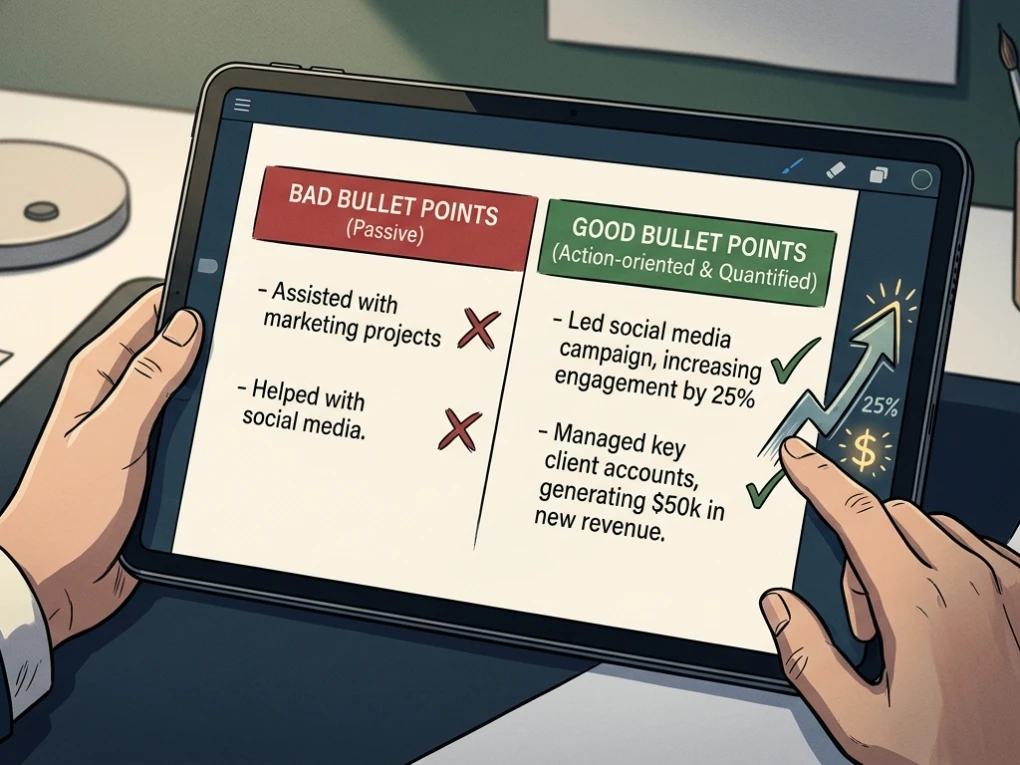
Use the “Action + Context + Result” Formula
Never write job descriptions as simple lists of daily chores (e.g., “Responsible for answering phones and handling invoices”). Frame your points around accomplishments using this structure:
- Before: Handled vendor contracts and saved the company money.
- After: Negotiated 14 key vendor contracts, cutting quarterly procurement costs by 18% and saving $125,000 annually.
To strengthen your phrasing, review our comprehensive guides on writing bullet points and consult our curated action verbs list.
Step 5: Highlight Relevant Education
Keep your education section straightforward. If you have two or more years of professional experience, your education section should appear below your work experience. If you are a current student or recent graduate, place it near the top.
What to Include:
- Degree title and major (e.g., Bachelor of Science in Computer Science)
- Institution name, City, and State
- Graduation year (or expected graduation date)
- Academic honors (e.g., magna cum laude, Dean’s List)
- GPA (Include only if it is 3.5 or higher, and omit once you have acquired your first full-time role)
Example:
Bachelor of Science in Business Administration (Finance)
University of Illinois Urbana-Champaign, Urbana, IL
Graduated: May 2022 | Dean’s List (All Semesters)
Step 6: Curate Hard and Soft Skills
A dedicated skills section gives ATS scanners clean keyword hooks and gives recruiters a snapshot of your capabilities.
+--------------------------------------+--------------------------------------+
| Hard Skills (Technical / Concrete)   | Soft Skills (Behavioral / Execution) |
+--------------------------------------+--------------------------------------+
| Python, SQL, Tableau, R              | Cross-Functional Collaboration       |
| Financial Modeling, GAAP Accounting  | Stakeholder Management               |
| Google Analytics 4, SEO/AEO Strategy | Conflict Resolution & Negotiation    |
| Agile / Scrum Project Management     | Critical Thinking & Problem Solving  |
+--------------------------------------+--------------------------------------+
- Focus on Hard Skills: Emphasize tools, software, programming languages, certifications, and measurable methodologies.
- Contextualize Soft Skills: Avoid simply pasting words like “Leadership” or “Communication” into a generic list. Prove them through your work experience bullet points.
- Mirror the Job Description: Scrape the target job posting for required technical competencies and ensure your verified skills match the exact phrasing used by the employer.
Step 7: Include Strategic Additional Sections
If you have extra space on your one- or two-page document, relevant bonus sections can help set you apart from other applicants:
- Certifications and Licenses: List recognized credentials (e.g., PMP, AWS Certified Solutions Architect, CPA, Scrum Master).
- Languages: Include your proficiency level (e.g., Spanish (Bilingual/Native), German (Professional Working Proficiency)).
- Industry Publications or Patents: Detail published academic papers or granted patents.
- Volunteer Leadership: Include community work if it demonstrates leadership, teamwork, or skills relevant to your target role.
Tailoring Your Resume for Applicant Tracking Systems (ATS)
An ATS acts as a digital gatekeeper. If your resume cannot be parsed, no human recruiter will ever see it.
+---------------------------------------+---------------------------------------+
| ATS Dos                               | ATS Don'ts                            |
+---------------------------------------+---------------------------------------+
| Use a standard one-column text layout | Use multi-column split layouts        |
| Use standard headings (Experience)    | Use icons, skill bars, or stars       |
| Save as a standard PDF or DOCX file   | Embed text inside images or shapes    |
| Use bullet points for easy parsing    | Place key contact details in headers  |
| Match keywords from the job listing   | Hide white text keywords to game ATS  |
+---------------------------------------+---------------------------------------+
Steps to Beat the ATS Filter:
- Match Key Terms Naturally: If the job description requires “Customer Relationship Management (CRM),” write out the full term and place the acronym in parentheses: “Customer Relationship Management (CRM)”.
- Standardize Section Headings: Use traditional labels like “Work Experience,” “Education,” and “Skills” instead of creative variants like “Where I’ve Been” or “My Journey.”
- Verify Before Applying: Run your completed file through our free ATS Checker to audit keyword density, structural parsing errors, and formatting compliance.
5 Critical Resume Mistakes to Avoid
-
Submitting a Generic Resume Everywhere: Spraying the identical generic document across 50 job openings yields low response rates. Tailor your summary, skills, and top bullet points to match the target posting’s exact requirements.
-
Including Personal Pronouns: Never use “I,” “me,” “my,” “we,” or “our.” Use active, truncated sentences (e.g., “Engineered automated billing pipeline” instead of “I engineered our team’s billing pipeline”).
-
Adding Graphics, Rating Scales, or Headshots: Graphical star ratings (e.g., “Photoshop: 4/5 stars”) tell hiring managers nothing about your actual competency and corrupt ATS parsers.
-
Vague, Unquantified Claims: Phrases like “handled daily operations” or “assisted with sales” reveal no impact. Provide metrics: how many, how often, how much money, or what percentage change?
-
Spelling and Grammar Errors: A single spelling error or inconsistent date format can get your application dismissed. Proofread thoroughly, read the document aloud backwards, and have another set of eyes review it.
Full Resume Example: Mid-Level Professional
Here is how all these individual sections come together into a coherent, ATS-compliant, single-page layout:
ALEX MORGAN
Chicago, IL | (312) 555-0182 | alex.morgan@email.com | linkedin.com/in/alexmorgan-example
Senior Digital Marketing Specialist
Analytical marketing strategist with 6+ years of experience scaling performance marketing, content strategy, and organic acquisition across B2B SaaS verticals. Managed $600k+ in combined annual paid search budgets while growing organic traffic by 125% year-over-year. Expert in GA4, HubSpot, technical SEO, and conversion rate optimization (CRO).
PROFESSIONAL EXPERIENCE
Growth Marketing Specialist | Apex Cloud Solutions, Chicago, IL
March 2023 – Present
- Spearheaded enterprise lead generation strategies across search and paid channels, driving a 34% increase in qualified pipeline value over 14 months.
- Managed a $45,000 monthly paid search budget across Google Ads and LinkedIn, improving aggregate return on ad spend (ROAS) from 2.2x to 3.6x.
- Executed 28 landing page A/B tests using Optimizely, lifting demo request conversion rates from 2.1% to 4.3%.
- Partnered directly with product and sales engineering teams to build automated nurture cadences in HubSpot, decreasing the average sales cycle length by 18 days.
Digital Marketing Coordinator | BlueWave Media, Evanston, IL
June 2020 – February 2023
- Produced and optimized 120+ long-form technical articles, growing organic search sessions from 35,000 to 110,000 monthly visits within 18 months.
- Conducted quarterly technical SEO site audits, resolving crawl depth bottlenecks, canonical errors, and schema markup discrepancies.
- Coordinated monthly newsletter distribution to 45,000 active subscribers, maintaining a 28% open rate and a 4.1% click-through rate.
CORE SKILLS
- Technical Competencies: Search Engine Optimization (SEO), GA4, Google Tag Manager, HubSpot, Optimizely, WordPress, SQL (Intermediate).
- Marketing & Strategy: Conversion Rate Optimization (CRO), Multi-Touch Attribution, Content Marketing, Paid Search (SEM), Email Automation.
EDUCATION
Bachelor of Science in Marketing
University of Wisconsin-Madison, Madison, WI | Graduated May 2020
CERTIFICATIONS
- Google Analytics Individual Qualification (GAIQ)
- HubSpot Inbound Marketing Certified
Frequently Asked Questions (FAQ)
How far back should a resume go?
A resume should focus on the last 10 to 15 years of relevant professional experience. Jobs older than 15 years can be omitted entirely or summarized briefly without bullet points in an “Early Career Experience” section.
Should I include references directly on my resume?
No. Do not include references or the phrase “References available upon request.” Employers expect you to provide references upon request later in the interview cycle. Using valuable page real estate for reference contacts or placeholder lines is unnecessary.
Can I submit a two-page resume?
Yes, but only if you have more than 7 to 10 years of direct, highly relevant experience that warrants the extra space. Entry-level job seekers, recent graduates, and career changers should strictly stick to a concise, single-page format.
How do I write a resume when I have an employment gap?
Address the gap honestly and concisely. If you took time off for caregiving, medical recovery, education, or personal projects, you can add a short, dated entry explaining the gap (e.g., “Career Sabbatical — Full-time caregiving and completed professional certification in Data Analytics”).
Does my resume need an objective statement?
In modern hiring, professional summaries have replaced objective statements. Summaries highlight what you bring to the table for the employer, whereas objectives focus on what you want for yourself. Only use an objective if you are an entry-level candidate with no formal job experience.
Final Checklist & Next Steps
Before you send out your job application, run through this final pre-flight checklist:
- Contact info includes phone, email, general city/state, and clean LinkedIn URL.
- The file is formatted in a single-column, ATS-friendly structure.
- Margins are set between 0.75 and 1.0 inch; standard 10–12 pt font is used.
- Professional summary focuses on quantifiable value rather than generic adjectives.
- Every work experience bullet starts with an action verb and includes measurable metrics where possible.
- Content is targeted to the specific job posting, matching key skills and language.
- The document is saved as a clean, standardized PDF file.
Ready to build your interview-winning resume? Choose one of our battle-tested resume templates or streamline your drafting process with our intelligent resume builder today.